Shop Floor Operations
A tablet-friendly operator terminal, andon alerts, downtime Pareto reporting, tool tracking, and revision-controlled work instructions — built for the people on the floor.
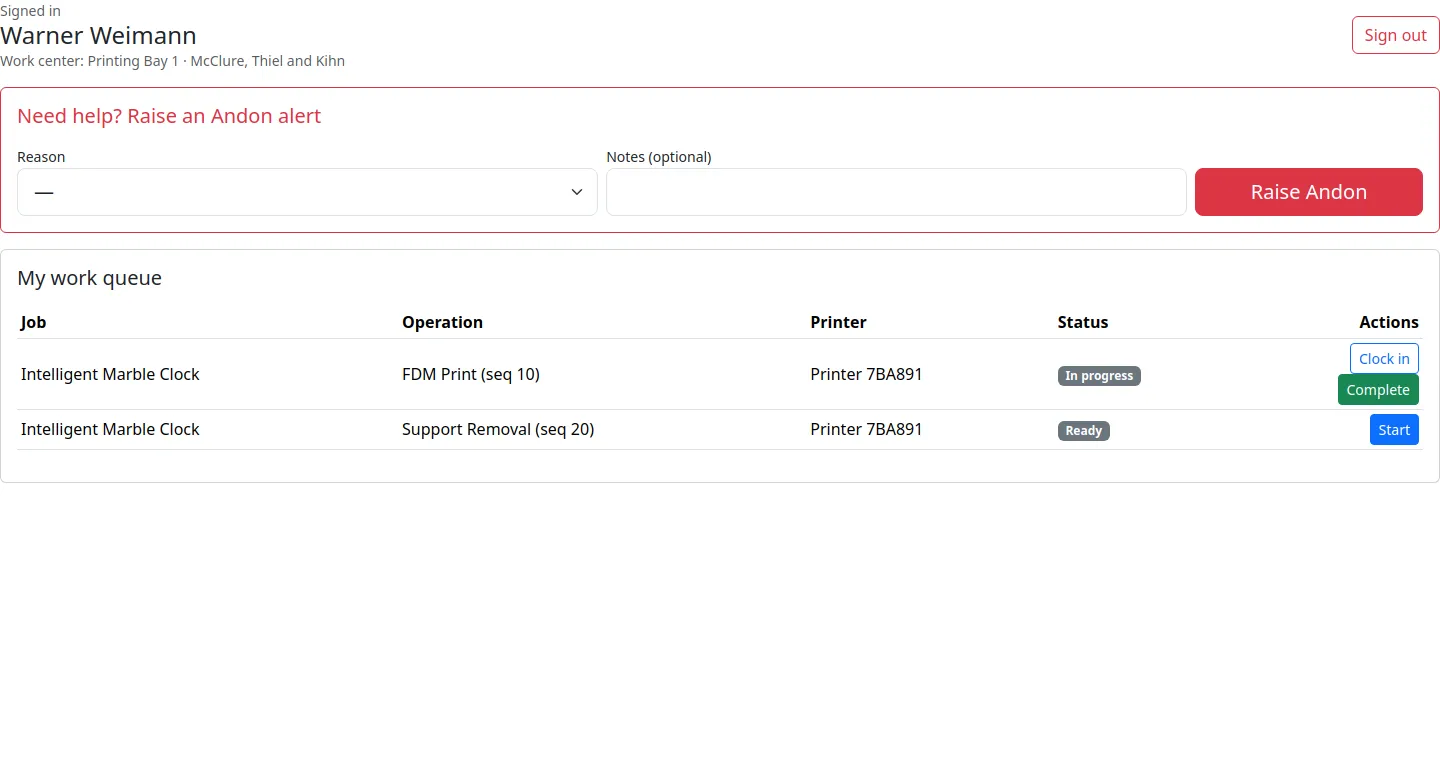
Built for the terminal, not the desk
A progressive web app that installs on any tablet — online or offline
Operator Terminal (PWA)
Installs as an app on iPads, Android tablets, and rugged shop-floor devices. Fullscreen, touch-first, and high-contrast.
Clock In / Clock Out
Operators clock in to an operation with one tap. Labor minutes are attributed to the right job, work center, and cost bucket.
Offline Queue
Lost the network? Clock entries, status updates, and andon events queue locally and replay automatically when you reconnect.
Labor Tracking
Every minute on the floor rolls up into job cost, utilization, and productivity reports — no manual timesheets.
Multi-Operator Ops
Shared fixtures, paired assembly, and training sessions: multiple operators on one operation with automatic split of labor minutes.
Barcode Scan
Scan a job, a fixture, or a batch label to open its terminal view. No typing job IDs into tiny boxes.
Andon & downtime — with real numbers
Stop guessing why the line is down. Measure it.
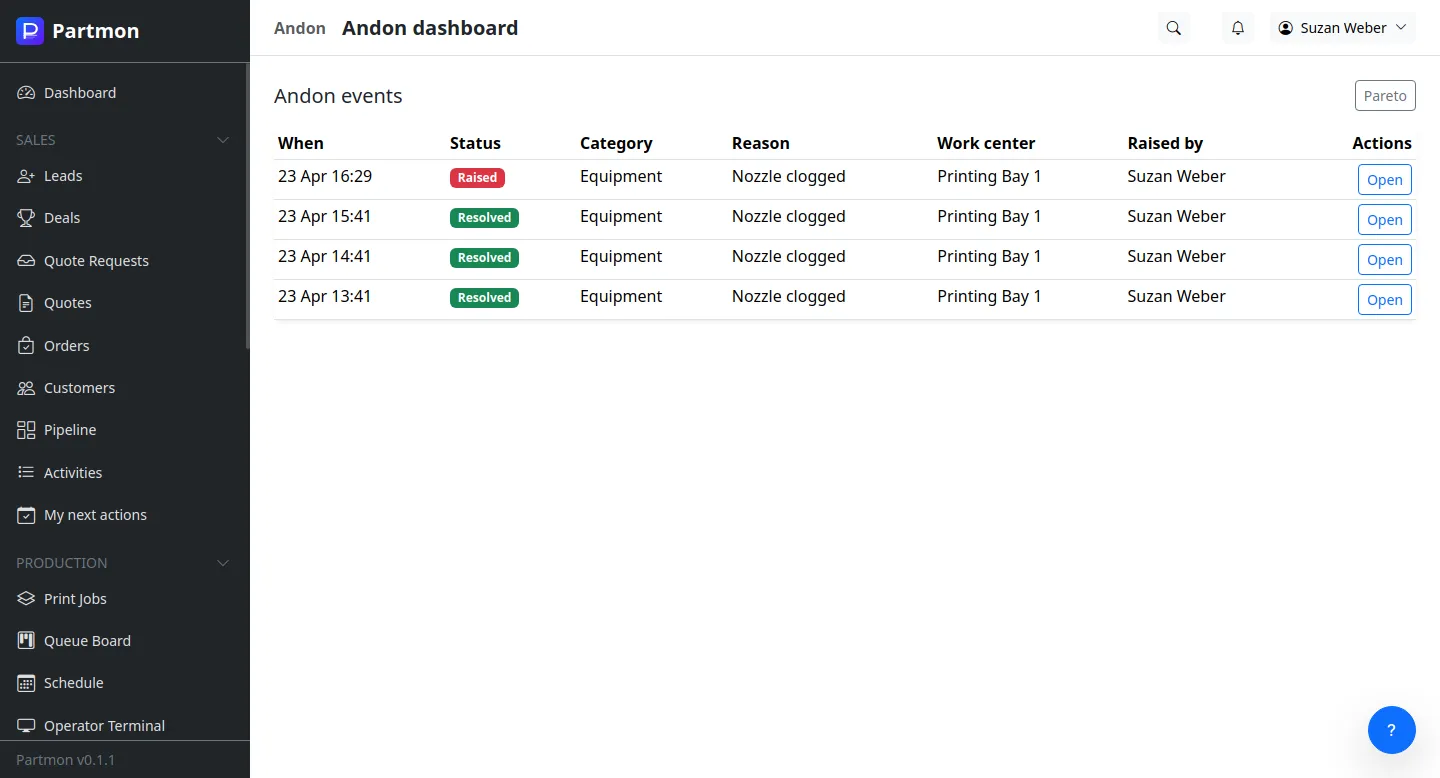
Andon Alerts
Operators raise andon events from the terminal with structured reason codes. Supervisors see them on the board in real time.
Reason Codes
Configurable AndonReasonCode catalog per organization — maintenance, material, quality, safety, training. Filterable and reportable.
Downtime Events
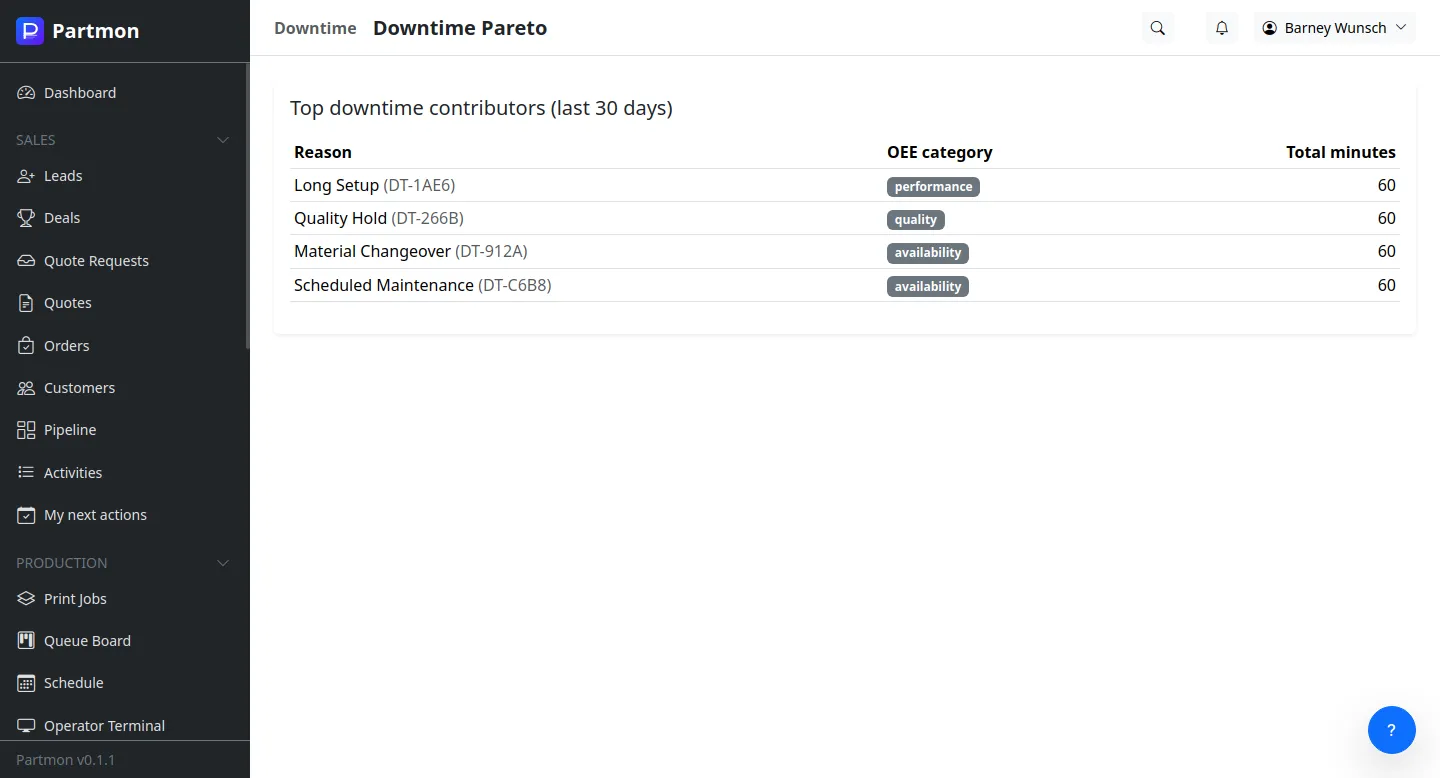
Every stoppage logged with category, reason, duration, and affected work center. No more whiteboard reconstruction.
Pareto Reporting
Pareto charts of andon and downtime events — surface the 20% of causes that drive 80% of your lost time.
Escalation Paths
Andon events route to the right responders by category. SLA timers and escalation hooks keep issues from being ignored.
MTBF & MTTR
Mean time between failures and mean time to repair, per work center and per reason. Drive reliability improvements with data.
Tools, fixtures, and work instructions
Everything your operators need, right where they need it
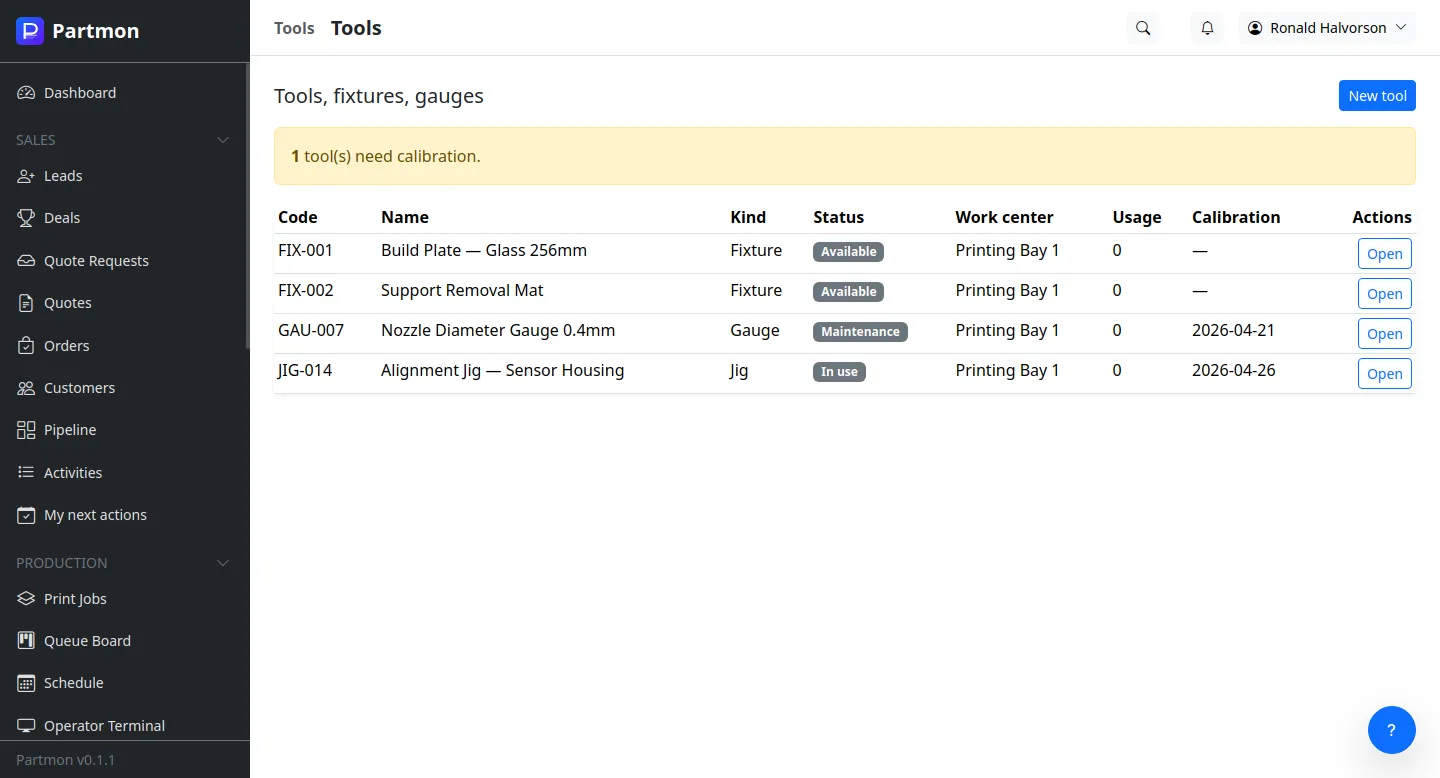
Tool Registry
Fixtures, jigs, gauges, and special tools tracked with serial numbers, calibration intervals, and location.
Tool Requirements
Routing operations declare which tools they need. Operators are told exactly what to grab before starting.
Maintenance Schedules
Calibration, inspection, and PM cycles per tool. Overdue alerts stop work before it starts on an out-of-cal gauge.
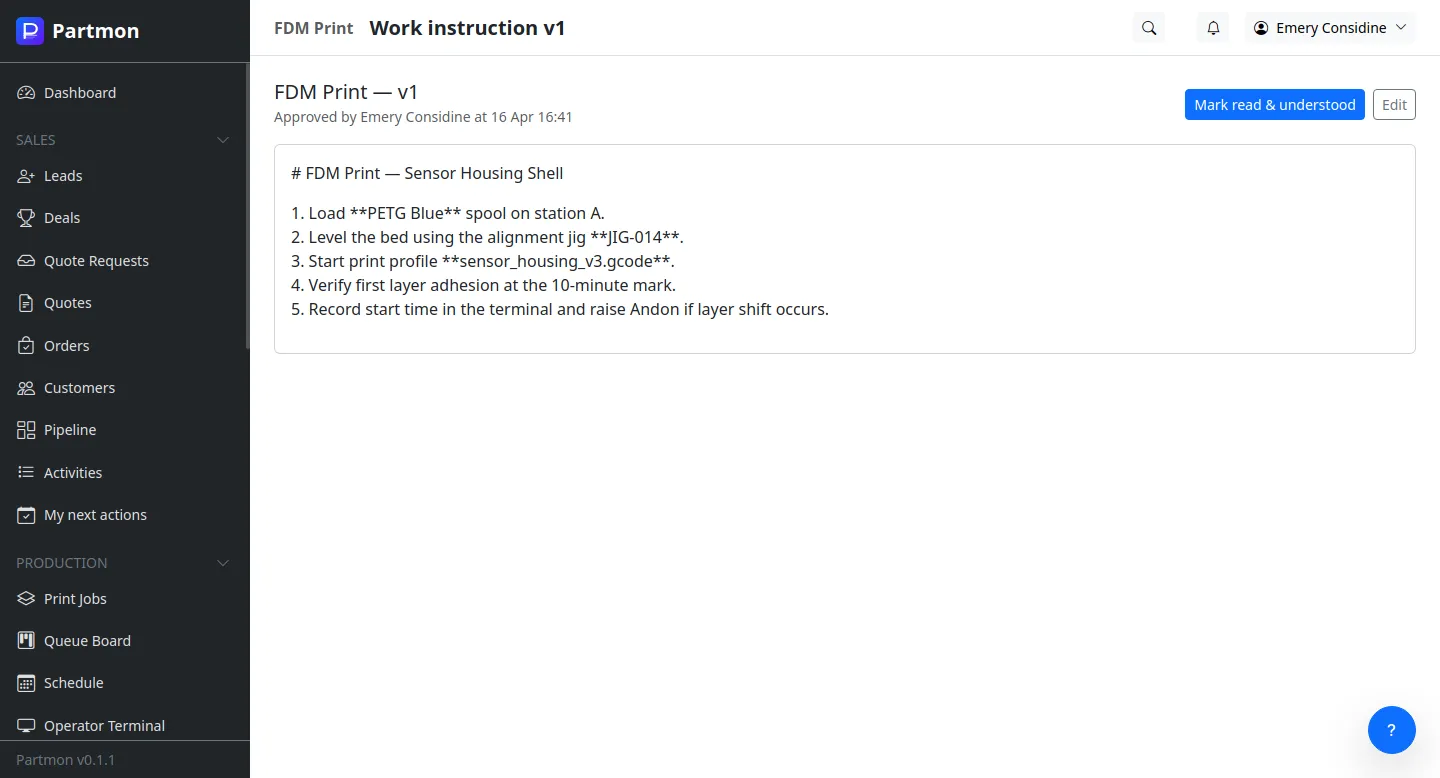
Digital Work Instructions
Per-operation instructions with images, videos, and PDFs. Always the right revision for the part you're building.
Revision Control
Work instructions are versioned. Operators see the revision in force for the active BOM/routing version — no more obsolete binders.
Acknowledgements
Operators acknowledge that they've reviewed the instruction before starting. Acknowledgement records are audit-ready.
A shop floor your operators actually want to use
Designed with machinists, print techs, and post-processing leads — not office workers.
Join Beta Scheduling & MRP